

Zero-Trust Basics for Growing Teams: A Practical 2026 Checklist
December 29, 2025 · 6 min read
As teams scale, access sprawl becomes the #1 risk: shared passwords, unmanaged devices, and admin accounts that never get reviewed. Many founders notice the same pattern in their downtime too — whether it is a quick mobile game or a few spins on an entertainment site like Online Casinon utan spelpaus, the people who do best are the ones who manage risk, set limits, and follow a simple system. Zero-Trust is not an enterprise buzzword; it is that same kind of discipline applied to security.
This guide breaks Zero-Trust down into steps SMEs can implement quickly: identity-first access, least privilege, MFA everywhere, device hygiene, encrypted backups, and lightweight monitoring that actually fits a small IT budget.
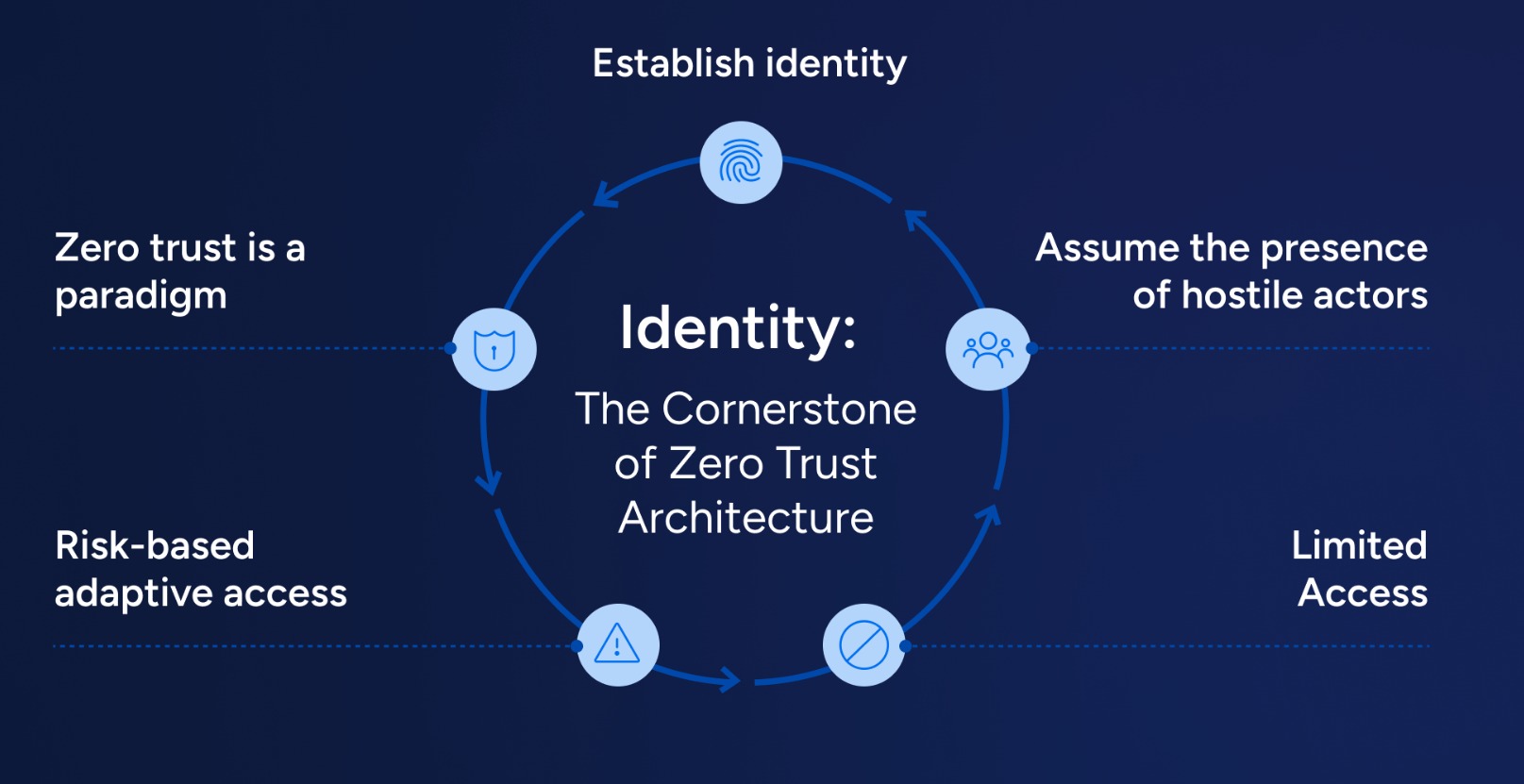
1) Start with identity-first access (make accounts the control plane)
Zero-Trust begins by treating identity as your primary perimeter. Every person gets their own account (no shared logins), and every access decision is tied to a verified identity. Keep it simple:
- Centralize sign-in: use one identity provider where possible (Google Workspace, Microsoft Entra ID, or a lightweight SSO tool).
- Standardize onboarding/offboarding: one checklist to create accounts, assign roles, and remove access on day one and day last.
- Separate admin identities: give admins a dedicated admin account and keep daily work on a normal account.
2) Enforce least privilege with fast, repeatable role reviews
Most breaches do not require sophisticated exploits — they need one overpowered account. Implement least privilege by default:
- Role-based access: create 3–6 standard roles (e.g., Sales, Support, Finance, Engineering, Admin) instead of one-off permissions.
- Quarterly access reviews: owners confirm who still needs access to critical systems (CRM, finance, cloud, code, backups).
- Just-in-time elevation: when possible, grant admin rights for a limited window rather than permanently.
If you only do one thing this quarter, do a permission cleanup on your email, cloud, and finance tools — that is where the biggest impact lives.
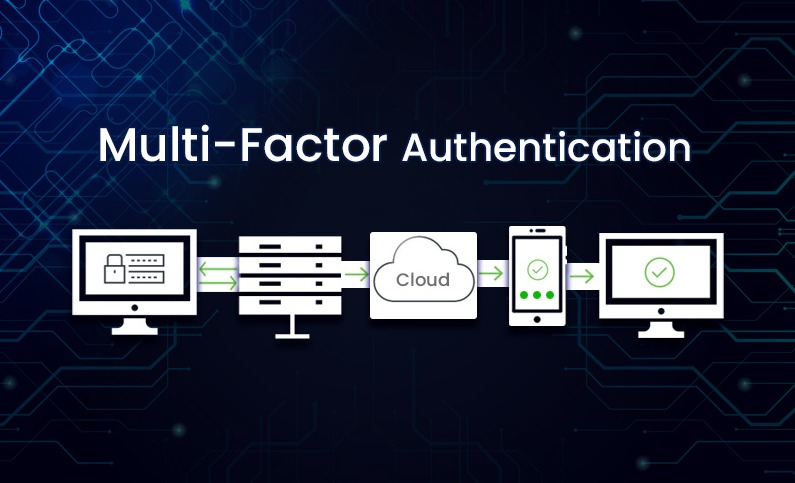
3) MFA everywhere (prioritize the accounts that can move money or data)
MFA is the highest-ROI control for small teams. Apply it to everything, starting with:
- Email and collaboration: Google Workspace / Microsoft 365, Slack/Teams.
- Admin consoles: cloud providers, domain/DNS registrar, website CMS, password manager.
- Finance: banking portals, payment gateways, invoicing tools.
Prefer phishing-resistant options (authenticator apps, passkeys, hardware keys) over SMS where possible. And document a simple recovery process so MFA does not become a support nightmare.
4) Device hygiene: treat endpoints like production infrastructure
In 2026, an unmanaged laptop is a bigger risk than an unpatched server. Your baseline should be:
- Automatic updates: OS and browsers update without manual approval.
- Disk encryption: BitLocker (Windows) or FileVault (macOS) turned on for all company devices.
- Basic endpoint protection: a lightweight EDR/AV and firewall enabled, especially for remote work.
- Secure Wi-Fi habits: avoid public Wi-Fi without a trusted VPN; do not log into admin consoles from unknown networks.
5) Encrypt and test backups (assume ransomware will happen)
Backups are your operational safety net. The practical SME approach is:
- 3-2-1: three copies, two media types, one offline/immutable copy.
- Encrypt backups: both in transit and at rest; protect encryption keys like crown jewels.
- Restore drills: once per quarter, restore a sample dataset and document the steps.
A backup that has never been restored is not a backup — it is a hope.
6) Lightweight monitoring that fits a small budget
You do not need a SOC to get value from monitoring. Start with alerts that matter:
- Sign-in anomalies: impossible travel, repeated failures, new devices, new locations.
- Privilege changes: new admin accounts, role changes, MFA disabled.
- Data movement: mass downloads, new sharing links, unusual API usage in CRM or storage.
Route alerts to one owner, keep a small incident checklist, and review the alert log weekly for 10 minutes. Consistency beats complexity.
2026 quick checklist (copy/paste for your next IT meeting)
- Identity: individual accounts only; admin accounts separated; SSO where practical.
- Access: role-based permissions; quarterly access review; remove stale accounts.
- MFA: enforced on email, finance, DNS, cloud, password manager, and backups.
- Devices: updates on; disk encryption on; endpoint protection on; secure Wi-Fi/VPN policy.
- Backups: encrypted; offline/immutable copy; quarterly restore test.
- Monitoring: sign-in anomalies + privilege changes + data movement alerts enabled.
Bottom line: Zero-Trust is a set of habits. When you make identity, permissions, and device health non-negotiable, you reduce breaches and keep operations running — even as your team grows.